How it works
The SaveMySearch module allows you to save custom filters for Dolibarr lists.
Using the module is simple:
1- Fill in the search fields of the Dolibarr list for the desired filtering
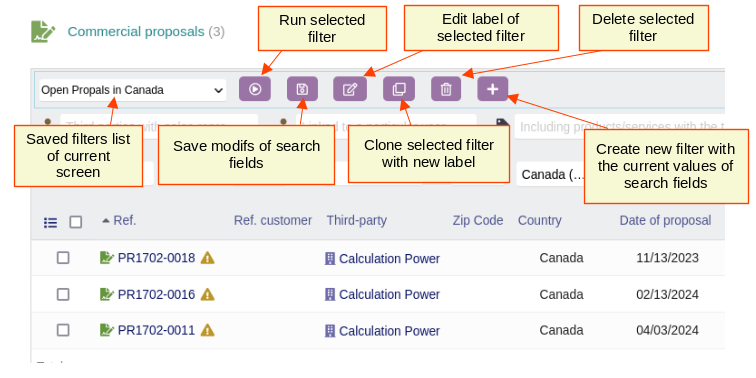
2- Click on the “+” button, from the module toolbar, to enter a label for this search
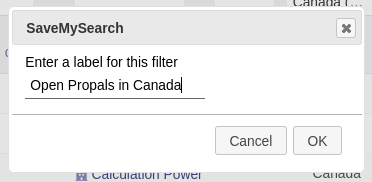
3- Enter the label in the dialog that appears and click on “OK”
4- And that’s it , the new filter then appears in the list of filters, you can run/rerun this search at any time by selecting this filter
Toolbar legend:
Enter filter label dialog:
Examples
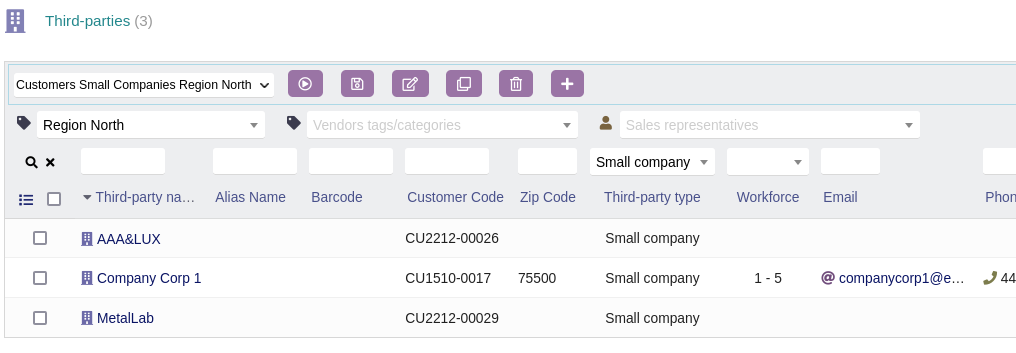
Thirdparties list:
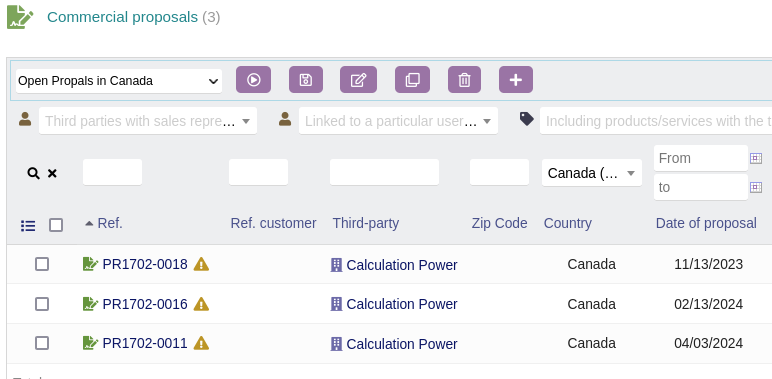
Propals list:
Note
The module is compatible with Dolibarr lists that comply with the Dolibarr lists development standard .
For Dolibarr itself, almost all lists are in this case. Only a few lists are not.
For external modules, in general if the module was generated by the ModuleBuilder, its lists are compatible with the SaveMySearch module.