Tasks kanban view
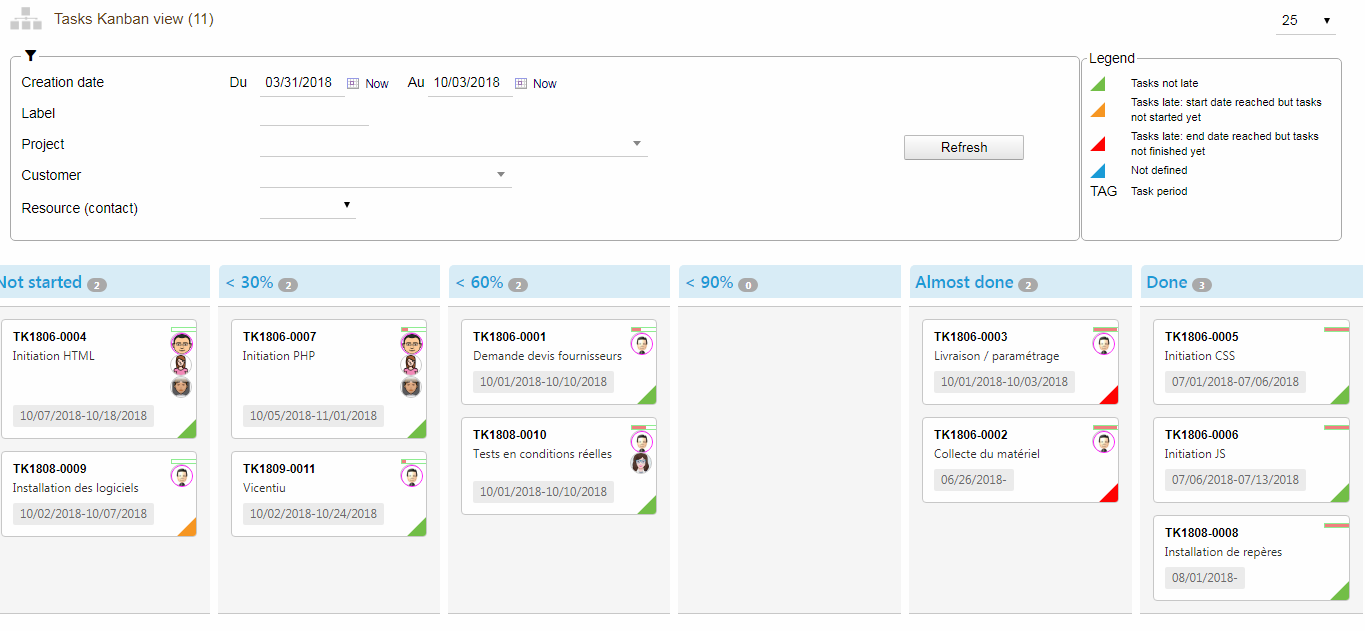
Columns
Possible states for Tasks are:
- Declared progress equal to 0% (Not started)
- Declared progress < 30%
- Declared progress between 30% and 59% (< 60%)
- Declared progress between 60% and 89% (< 90%)
- Declared progress between 90% and 99% (Almost finished)
- Reported Progress equal to 100% (Done)
Editing progress
When you try to drop a task kanban card to a column other than “Not started” and “Done”, a dialog is displayed to edit the new progress.
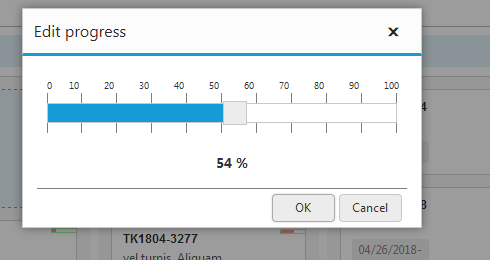
Then simply move the cursor to the desired value and click on “OK”, the card is placed on the right column.
On the other hand, on the task kanban card, a small indicator of the progress of the card is displayed opposite the reference of the task. Its tooltip displays the numeric value of the progression.
Parameters
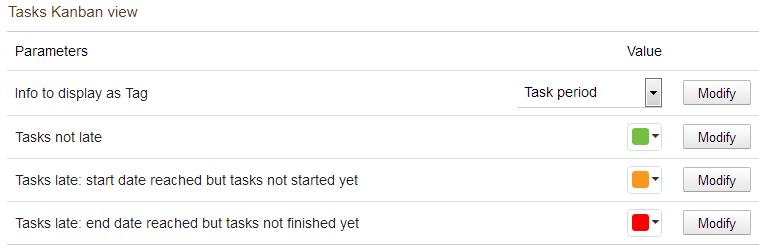
Tags
The possible tags for Kanban Tasks cards are:
- Period
- Expected duration
- Total time
- Progress
Colors
The colors in the lower right corner for Kanban Tasks cards represent the states:
- Task without delay
- Start date exceeded but task not started yet
- End date exceeded but the task is not complete