-
SaveMySearch
-
OrganizationChart
-
BomHierarchy
-
PivotReports
-
KanView
-
KanTickets
-
KanProspects
-
AzurSign
-
SoleilSign
-
MerouSign
< Back
Print
Messages management
In addition to the initial message, a ticket may contain several other messages.
In the ticket kanban tile, a dedicated clickable icon displays the current number of these messages.
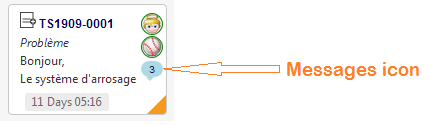
A click on this icon displays the list of messages:
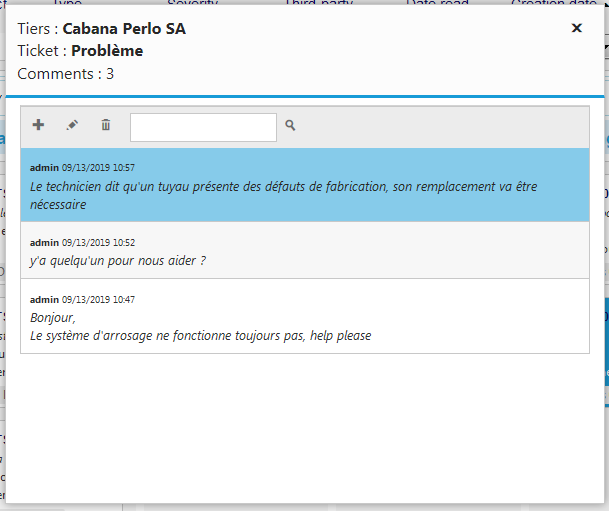
The toolbar of this dialog allows you to add, edit, delete, and search for messages.
To add a message, click on the “+” icon.
This opens the Dolibarr ticket card in message adding mode.
To edit a message, click on the “pencil” icon. This opens the Dolibarr event card of the Agenda associated with the mesage in edit mode.
On this page