-
SaveMySearch
-
OrganizationChart
-
BomHierarchy
-
PivotReports
-
KanView
-
KanTickets
-
KanProspects
-
AzurSign
-
SoleilSign
-
MerouSign
< Back
Print
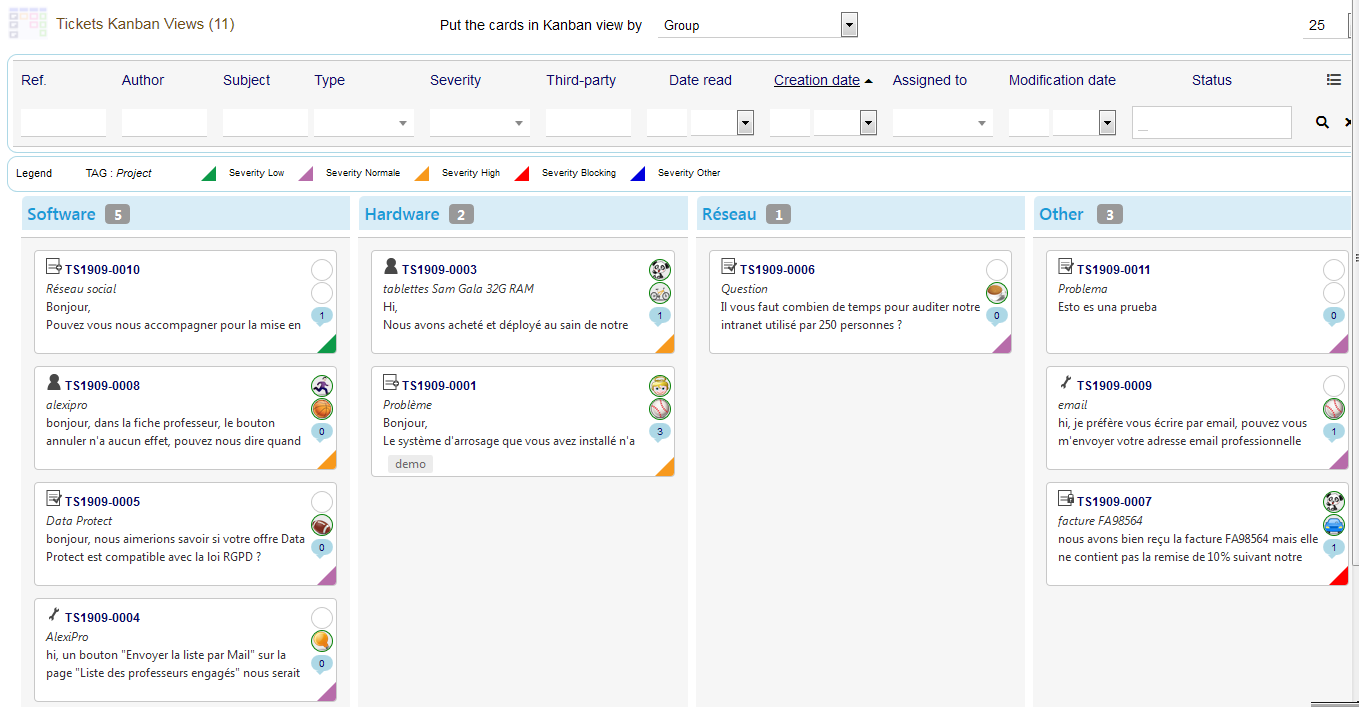
Group Kanban view
Ticket groups are defined in the “Ticket – Groups” dictionary (table llx_c_ticket_category).
In Dolibarr 10.0.1, only the group “Other” is predefined.
For the purposes of the demo and this documentation, we have added the following groups:
- Software
- Hardware
- Network
- Other (present by default)
You can add / remove or activate / deactivate by going to Home> Configuration> Dictionaries> Ticket – Groups
If a group is disabled in the dictionary, its column title appears in gray in the kanban view and you will not be able to drop in this column.
On this page