Intervention signing and pdf generation
To sign an Intervention with the SoleilSign module:
- Open the Intervention card in Dolibarr
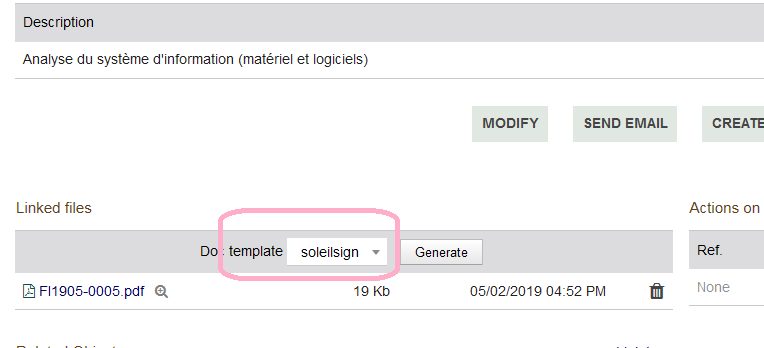
- Choose the model “soleilsign” in the list of document templates.
- Click on “Generate”
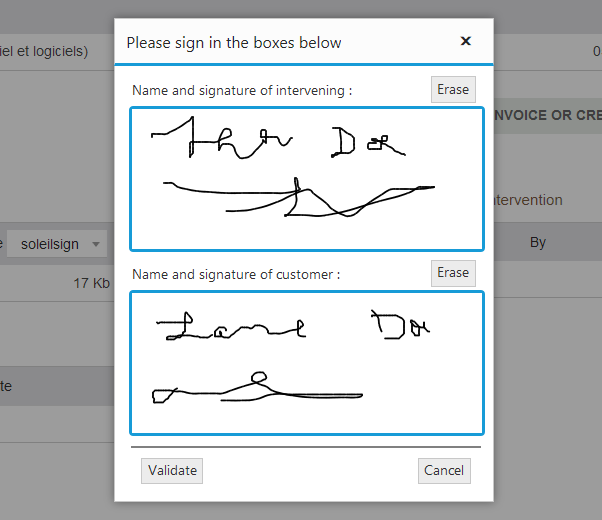
- In the dialog that appears, sign and invite your Customer to sign in the boxes provided for this purpose.
- Click on “Validate”
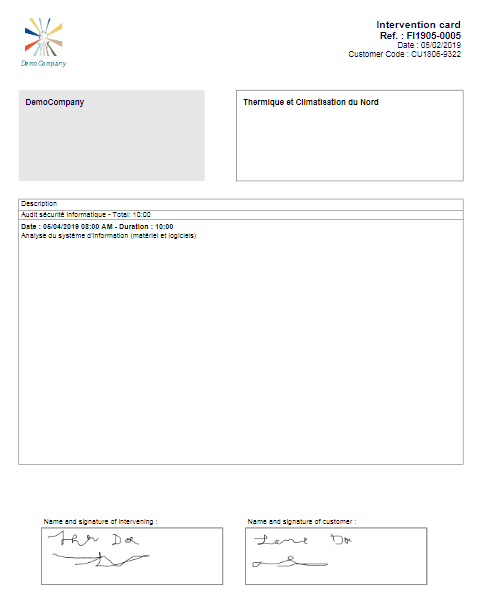
- SoleilSign will generate the pdf and integrate in it the signatures in the right places.
- If the global setting of the module “Mark as Done …” is set to Yes, the Intervention will be marked as “Done” by SoleilSign.
In this case, if you try to regenerate the pdf with the model “soleilsign”, it behaves like the model “soleil” (a “warning” icon is displayed next to the “Generate” button to signify it).
To be able to sign an Intervention, it must be in the “Validated” state.