-
SaveMySearch
-
OrganizationChart
-
BomHierarchy
-
PivotReports
-
KanView
-
KanTickets
-
KanProspects
-
AzurSign
-
SoleilSign
-
MerouSign
< Back
Print
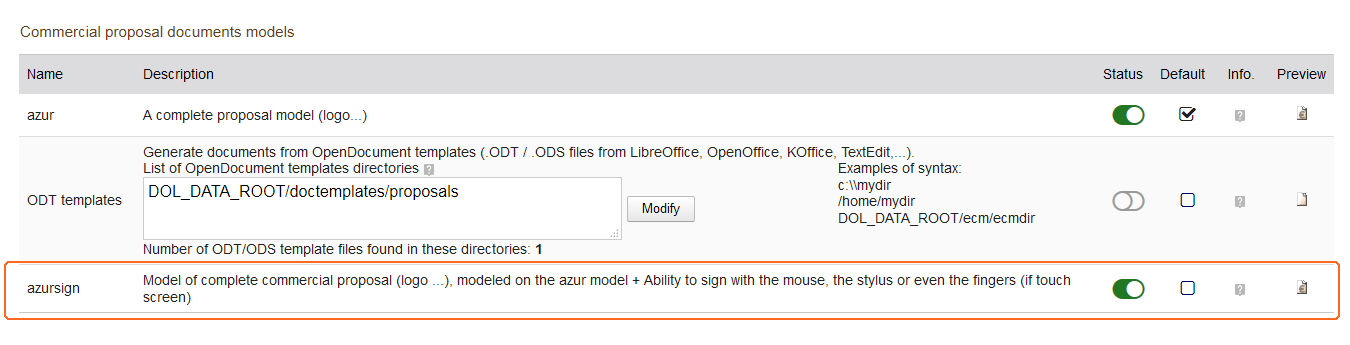
“azursign” template activation
After activating the AzurSign module in the Modules / Applications list, you must also activate the “azursign” template added to the Commercial Proposals module.
In the list of Modules / Applications, open the configuration page of the module Proposals.
In the list of document templates, look for the “azursign” template.
Turn it on.
Make a first test by clicking on the “preview” icon.
On this page