Computed data export
The Pivot Reports module is not only a way to display data in different ways, it is also a calculator.
Indeed, the SQL queries used to provide the database data can not do any calculation and transmit flat data (ie we do not have to use the aggregation functions, SUM, AVG, COUNT , … in the query unless we want to reduce the number of data transmitted to the control Pivot).
It is at the level of the main interface of the module that one chooses a calculation operation and the field on which the operation applies.
The control Pivot then makes the requested calculations and presents them in requested format.
The Pivot control allows you to export the calculated data so that you can archive it or reuse it elsewhere.
Simply choose “Export TSV” in the list of rendering types (TSV = tab-separated values).
The TSV format of this export is recognized by Excel sheets.
Here are screenshots for this feature:
Choose “Export TSV” in the render type list
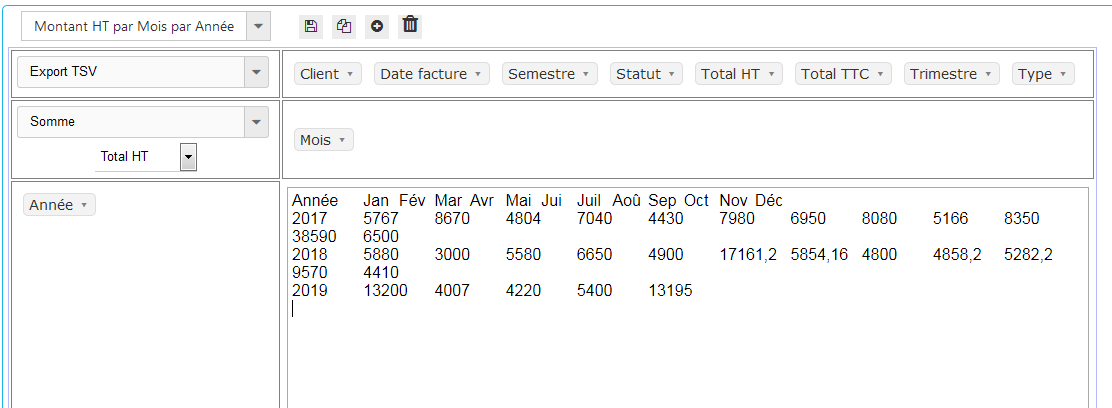
Copy data in TSV format provided by Pivot
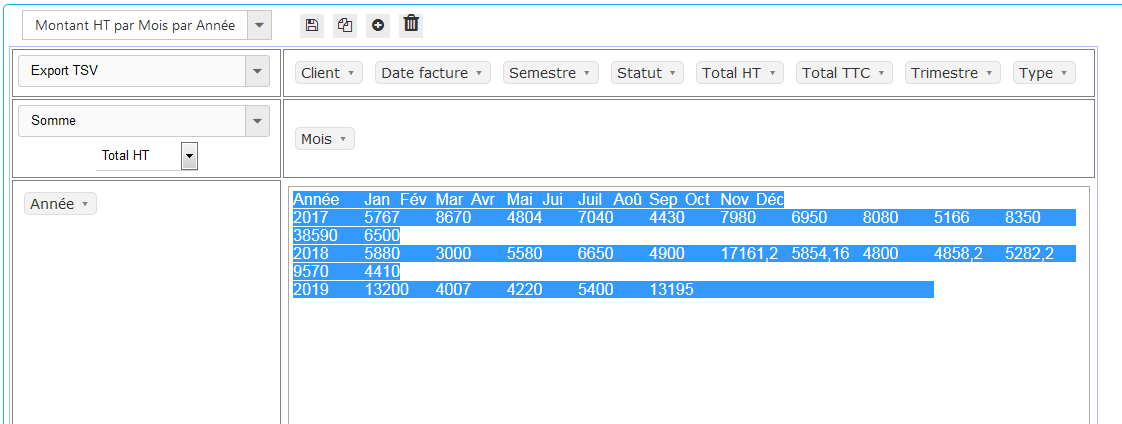
Paste it into Excel sheet (for example)

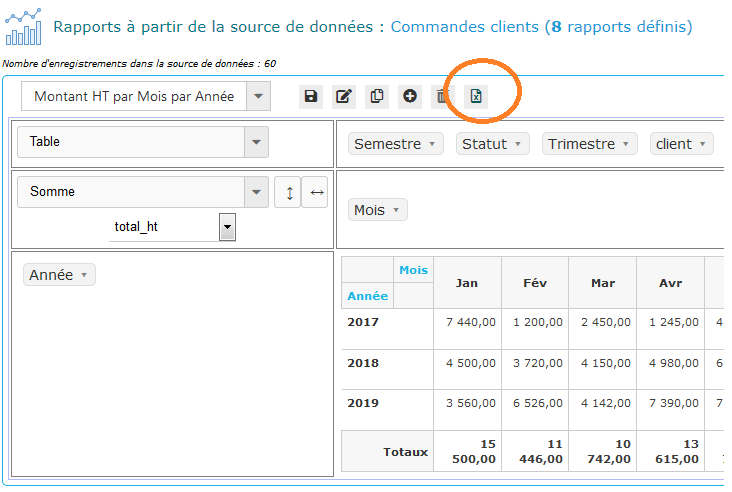
New in PivotReports 2.0 – Excel Export Button
Since PivotReports 2.0, you can export directly in Excel format by the dedicated button :